TL;DR the 30-second version
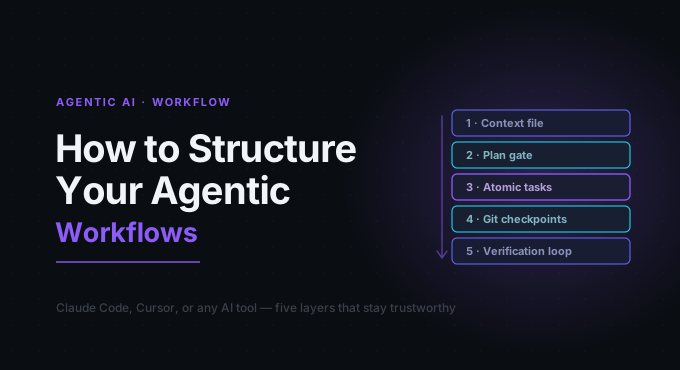
The agents aren’t the bottleneck — the missing structure is. Five layers turn chaotic AI coding into something fast and trustworthy: a context file, a plan gate, atomic tasks, git checkpoints, and a verification loop. Structure doesn’t slow agents down; it’s exactly what makes them fast.
| Layer | What to do | Why |
|---|---|---|
| Context file | Write CLAUDE.md / .cursorrules | Persistent alignment across sessions |
| Plan gate | Always plan before executing | Prevent drift before it starts |
| Atomic tasks | One session = one change | Clear definition of done |
| Git checkpoints | Commit every verified output | Safe rollback, readable history |
| Verification loop | Lint → test → diff → smoke | Don’t trust, verify |
First: what “agentic” actually means
There are two operating modes worth separating.
Reactive mode: you type prompts, review outputs, and implement results by hand — essentially enhanced autocomplete.
Agentic mode: the AI independently touches the filesystem, terminal, or browser; executes multi-step actions on its own; uses tools like code execution and file writing; and can invoke other agents or APIs.
Tools like Claude Code and Cursor’s Composer live in that second category. The key insight: structure doesn’t slow agents down — it’s exactly what makes them fast and trustworthy.
Layer 1 — Ground the agent: your context file
Give the agent a foundational map before it generates a line of code. Create a project-root file in whichever format your tool reads:
CLAUDE.md(Claude Code).cursorrules(Cursor).windsurfrules(Windsurf)AGENTS.md(general use)
A solid structure looks like this:
# Project Context

## Stack
- Next.js 14 (App Router), TypeScript, Tailwind CSS
- PostgreSQL via Prisma ORM
- Deployed on Vercel

## Conventions
- Always use named exports, never default exports
- All API routes live in /app/api/
- Prefer server components; use 'use client' only when necessary
- Never mutate state directly — use Zustand actions

## Off-limits
- Never touch /legacy — this code is frozen
- Never install new npm packages without asking first
- Never modify .env files

## Testing
- Run `pnpm test` before any PR
- Tests live in /tests/ mirroring the /app/ structure
Without this, every new Claude Code session or Cursor Composer thread starts from zero context.
Layer 2 — Plan before you execute
Always require an explanation before implementation.
- Present the objective — e.g. “plan how you’d add a rate limiter to
/api/auth/login. Don’t write code yet.” - Review the proposal, asking: are the targeted files right? Is it creating unnecessary new elements? Does the strategy match established conventions?
- Correct conversationally if the plan looks misaligned, before any code is written.
- Approve, then implement — only after the plan checks out.
A reliable prompt for this step: “Think carefully about this step by step before taking any action. First, list every file you will modify and why.”
The planning step forces structured reasoning before action, which sharply reduces the mid-task divergence where agents start solving your problem but finish solving a variation of it.
Layer 3 — Atomic tasks and single-responsibility sessions
Each agent session should address exactly one focused change.
Prone to drift:
“Refactor the authentication system, add rate limiting, update the tests, and update the README.”
Clear completion criteria:
“Extract the JWT validation logic from
auth.tsinto a standalonevalidateToken()function in/lib/auth/validate.ts. The signature should bevalidateToken(token: string): Promise<DecodedToken | null>.”
To break down a complex feature: write it in natural language, identify every distinct file-level
change, generate a numbered checklist (many teams keep a TASKS.md), run one session per item, and
only mark an item done after you verify its output.
## Feature: Rate-limited Login

- [x] 01 — Add `redis` and `rate-limiter-flexible` to dependencies
- [x] 02 — Create `/lib/rateLimiter.ts` with a configured `RateLimiterRedis` instance
- [ ] 03 — Wrap `/app/api/auth/login/route.ts` with the rate limiter
- [ ] 04 — Add `RateLimitError` to global error handler
- [ ] 05 — Write integration tests for rate limit behavior
- [ ] 06 — Update API docs in `/docs/auth.md`
When tasks stay atomic, the agent has a clear definition of done. Compound objectives create multiple decision points — and every decision point is an invitation to hallucinate.
Layer 4 — The git checkpoint protocol
Commit after every validated agent output, even preliminary ones.
[agent produces output]
    ↓
You review it (lint, tests, quick diff scan)
    ↓
If good → git add -A && git commit -m "agent: [task name]"
    ↓
Start next session
    ↓
[agent produces output]
    ↓
If bad → git reset --hard HEAD
    ↓
Diagnose, adjust prompt, retry
The payoff: clean rollback points are always available, diffs between commits stay small and
reviewable, a failed step five doesn’t erase steps one through four, and your git history becomes a
readable documentation trail. Use descriptive messages like
agent: extract validateToken() to /lib/auth/validate.ts rather than agent work — it makes
production-incident bisection actually useful.
Layer 5 — The verification loop
Replace intuition with systematic validation through four gates.
Gate 1 — Lint.
pnpm lint # ESLint, Biome, Ruff, or equivalentMake the agent fix any linting failures before proceeding.
Gate 2 — Tests. Prompt explicitly: “Run pnpm test and share the full output. Do not
summarize — paste raw terminal output.” If tests fail, the task is incomplete; loop back.
Gate 3 — Diff review.
git diff HEAD~1Examine every modified line. Atomic tasks typically touch 2–5 files; a diff over 400 lines is a warning sign.
Gate 4 — Smoke test. Run the feature manually in a browser or CLI. Tests can be wrong too.
Anti-patterns the community warns against
- The “God Task”: work spanning 5+ files or multiple outputs almost always drifts.
- Skipping planning: going straight to execution feels faster but usually costs 30 minutes of rework.
- Mid-session manual editing: hand-editing the agent’s output then asking it to continue breaks coherence — reject and re-prompt instead.
- Neglecting diff review: agents quietly fix adjacent problems without telling you; the diff is where you find out.
- Global ruleset files: one universal
.cursorrulesacross all projects misses project-specific conventions. Keep rules project-level. - Accepting test failures: code that fails existing tests is incomplete, regardless of how good it looks.
A real workflow: adding a feature end-to-end
Take “add email verification to the sign-up flow.”
Setup:
- Review/update
CLAUDE.mdfor email-sending conventions - Write the feature spec in
TASKS.md - Get the agent’s implementation plan and validate it
Execution — granular sessions:
agent: create /lib/email/verificationToken.ts→ verify → commitagent: add sendVerificationEmail() to /lib/email/sender.ts→ verify → commitagent: update /app/api/auth/register/route.ts to trigger email→ verify → commitagent: create /app/verify-email/page.tsx and route handler→ verify → commitagent: write integration tests for the full flow→ verify → commitagent: update /docs/auth.md→ verify → commit
The result: six distinct, reviewable, independently rollback-able commits — with a git history that doubles as documentation.
The agents aren’t the bottleneck. The missing structure is.