TL;DR the 30-second version
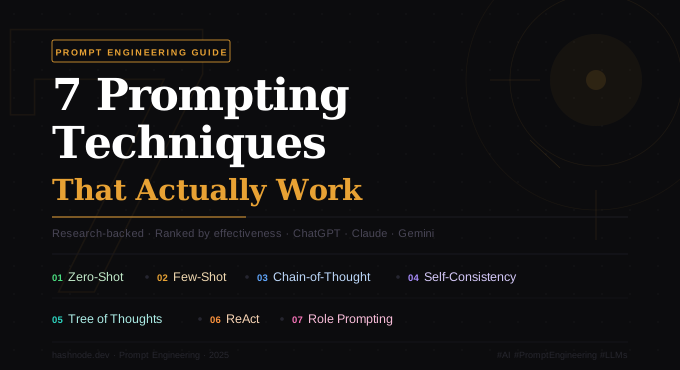
Prompting is a skill, not a search box. Seven techniques — zero-shot, few-shot, chain-of-thought, self-consistency, tree of thoughts, ReAct, and role prompting — consistently deliver across ChatGPT, Claude, and Gemini. The real unlock is stacking them: role → examples → step-by-step → output format.
Most people interact with AI the way they’d Google something — type a question, hope for the best. That approach leaves most of a model’s capability untapped.
A well-crafted prompt is the difference between a generic paragraph and a precisely tailored output that saves you hours. After digging through the research (including work from Google Brain, Princeton, and MIT), these are the seven techniques that reliably move the needle across all the major LLMs.
1. Zero-shot prompting ⭐⭐⭐
The baseline — ask directly, no hand-holding.
The most straightforward interaction: give the model a clear task with no examples and rely entirely on its pre-trained knowledge. Zero-shot works well for modern frontier models on simple, well-defined tasks. The key is specificity — vague prompts produce vague results.
❌ "Write something about climate change"

✅ "Write a 3-paragraph explainer on climate change for a 16-year-old.
   Use plain language, no jargon. End with one practical action
   they can take today."
The second prompt has context, an audience, a format, and a constraint. That’s what makes zero-shot work.
- Best for: simple tasks, quick summaries, straightforward transformations
- Cost: low
- Weakness: struggles with nuanced reasoning or ambiguous tasks
2. Few-shot prompting ⭐⭐⭐⭐⭐
Show, don’t just tell — examples change everything.
Instead of describing what you want, show the model 2–4 input/output examples before the actual task. This dramatically narrows its interpretation of “good.” Research shows few-shot is roughly 80% more efficient than zero-shot on complex tasks. The goal isn’t to flood the model with every possible case — it’s to give just enough that it can extrapolate the pattern.
Input: "The product broke after one day" → Negative
Input: "Works exactly as advertised" → Positive
Input: "It's fine, nothing special" → Neutral

Now classify: "Honestly better than I expected"- Best for: formatting tasks, tone matching, classification, data extraction
- Sweet spot: 2–3 examples for most tasks
- Weakness: eats context-window space; not ideal for highly varied tasks
3. Chain-of-thought (CoT) ⭐⭐⭐⭐⭐
Force the model to show its work.
Introduced by Google Research in 2022, chain-of-thought instructs the model to reason step by step before giving a final answer. It mimics how humans work through hard problems — and it dramatically improves accuracy on complex tasks.
The simplest version is adding “Let’s think step by step” to any prompt. For harder tasks, combine it with few-shot examples that demonstrate the reasoning process.
"Let's think step by step."
"Walk me through your reasoning before giving the answer."
"Think carefully, then respond."
"Break this down into smaller steps."
These additions substantially improve performance on calculations, comparisons, causal reasoning, and multi-condition logic.
- Best for: math, logic, multi-step analysis, strategic thinking
- Pro tip: CoT + few-shot is a particularly powerful combination
- Weakness: more tokens means slightly higher cost; overkill for simple tasks
4. Self-consistency ⭐⭐⭐⭐
Run it multiple times. Trust the majority.
Developed by Google Brain researchers, self-consistency addresses a core limitation of single-pass reasoning: any one chain-of-thought can carry a subtle error. The fix is to generate 5–10 independent reasoning chains for the same problem, then take the most frequent answer. It’s like asking five analysts the same question and going with the consensus.
Reported gains over standard CoT:
- +24% accuracy on the MultiArith arithmetic benchmark
- +14% on SVAMP math problems
- +10% on GSM8K grade-school math (Google PaLM 540B)
It’s particularly powerful for tasks with definitive correct answers — math, factual questions, structured decisions.
- Best for: high-stakes factual tasks, quantitative reasoning, critical decisions
- Cost: high (5–10× standard prompting)
5. Tree of thoughts (ToT) ⭐⭐⭐⭐
Let the model explore many paths at once.
Tree of thoughts extends CoT by letting the model branch into multiple reasoning directions simultaneously — like a decision tree — then evaluate and prune those paths to find the best solution. It can look ahead, backtrack, and compare approaches before committing.
The numbers speak for themselves:
| Method | Game of 24 success rate |
|---|---|
| Standard CoT | 4% |
| CoT + self-consistency | 9% |
| Tree of thoughts | 74% |
Imagine 3 different experts approaching this problem.
Each one writes their first step, then evaluates whether
it leads toward a good solution. If an approach seems like
a dead end, abandon it. Continue with the most promising paths.

Problem: [your task here]- Best for: strategic planning, complex problem-solving, creative decisions
- Weakness: the highest token cost of any method; overkill for straightforward tasks
6. ReAct (reasoning + acting) ⭐⭐⭐⭐⭐
Think → do → observe → repeat.
ReAct is the backbone of modern AI agents. It combines chain-of-thought reasoning with the ability to take real actions — searching the web, querying databases, calling APIs — and feeds those results back into the reasoning loop. Each cycle follows a Thought → Action → Observation pattern:
Thought:  I need to find the population of Paris.
Action:   Search["population of Paris 2024"]
Observe:  Paris population is ~2.1 million (city proper).
Thought:  Now I have the data I need to answer.
Answer:   The population of Paris is approximately 2.1 million.
This dramatically reduces hallucination because the model grounds answers in real retrieved data rather than relying on memory alone. Research shows methods combining ReAct with CoT + self-consistency outperform all other prompting approaches.
- Best for: research tasks, multi-tool workflows, AI agents, anything needing current information
- Weakness: requires tool-use capability (most modern models support this)
7. Role / persona prompting ⭐⭐⭐⭐
Don’t ask a generalist. Assign an expert.
Role prompting instructs the model to adopt a specific identity — not as a costume, but as a lens that shapes vocabulary, priorities, reasoning style, and depth. When the model “becomes” a senior product designer or a seasoned CFO, it draws more strongly on training data associated with that role. The key is specificity:
❌ Weak:  "You are an expert. Review my code."

✅ Strong: "You are a senior backend engineer with deep expertise in
          Python performance optimisation and security. You are
          reviewing a pull request for a fintech startup. Be direct,
          critical, and flag anything you'd reject in a real review."
The second prompt activates a much richer, more targeted slice of the model’s knowledge.
- Best for: technical writing, specialised advice, domain-specific critique, creative character work
- Pro tip: combine with CoT — assign the persona first, then ask it to think step by step
Quick reference: when to use what
| Technique | Best for | Token cost | Impact |
|---|---|---|---|
| Zero-shot | Simple, clear tasks | Low | Moderate |
| Few-shot | Format & tone matching | Medium | High |
| Chain-of-thought | Reasoning & analysis | Medium | High |
| Self-consistency | High-stakes accuracy | High (5–10×) | Specialised |
| Tree of thoughts | Complex decisions | Very high | Specialised |
| ReAct | Research & agents | Medium | High |
| Role / persona | Domain-specific depth | Low | High |
The real secret? Stack them.
The most powerful prompts combine multiple techniques. A killer combo: assign a role → add a few examples → ask for step-by-step reasoning → specify the output format exactly. Each layer makes the output more precise.
You don’t need all seven on every prompt. Knowing which tool to reach for, and when, is what separates people who get generic AI output from those who get genuinely useful work.